Staff planning
Hours tracked where the work happens.
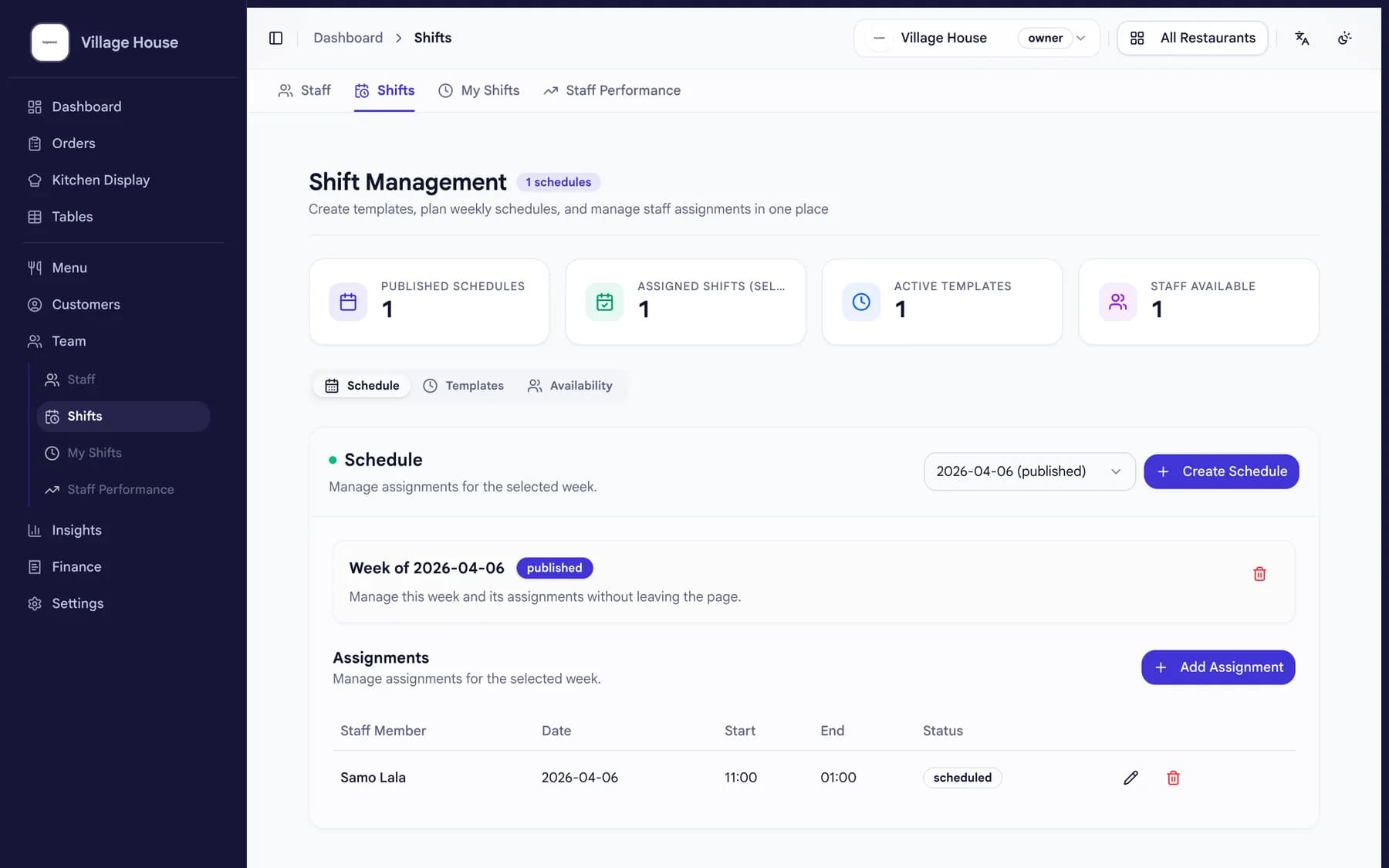
Your team clocks in and out in beplated. You see hours per person and week without collecting slips.
Clock in, clock outWeekly totals automaticPart of your daily close

How it works
From clock-in to payroll prep.
01
The shift starts in beplated
Staff clock in on the spot. No paper timesheets, no guessing later.
02
Hours add up by themselves
Every shift lands on the person's week. You see who is on shift right now.
03
Payroll prep in minutes
Week totals are ready for your payroll. Minutes, not evenings.
What changes for you
Less admin around every shift.
- No timesheet chasing
- Hours are recorded as they happen, not reconstructed at month's end.
- Built for part-time teams
- Part-time staff clock in and out in seconds, on the system that already runs your service.
- One weekly view
- Hours per person and the week total, side by side.
- Included in your daily close
- Hours are part of the same daily numbers as revenue and orders.
Common questions
Good to know.
- How do staff clock in?
- In beplated, where orders and service already run. No separate app.
- Does it cost extra?
- No. Staff planning is included in the beplated plan.
- What do I get for payroll?
- Hours per person and week totals, ready for your payroll prep.
- Can I see who is working right now?
- Yes. The week view shows who is on shift at the moment.
More from beplated
One system runs the rest of your day, too.
QR self-ordering
Guests scan, order and pay from the table. No app to download.
Learn moreReservations
Guests book online. You see tables and confirmations right next to your orders.
Learn moreInventory
Photograph a delivery note and your stock updates itself.
Learn moreBookkeeping
Every euro recorded TSE-compliant, DATEV-ready for your accountant.
Learn more
Ready when you are