Inventory
Photograph the delivery note. The stock updates.
beplated reads your delivery notes and keeps inventory in the same place as orders and reports. You review, the AI types.
AI reads delivery notesYou review every entryIncluded in your plan

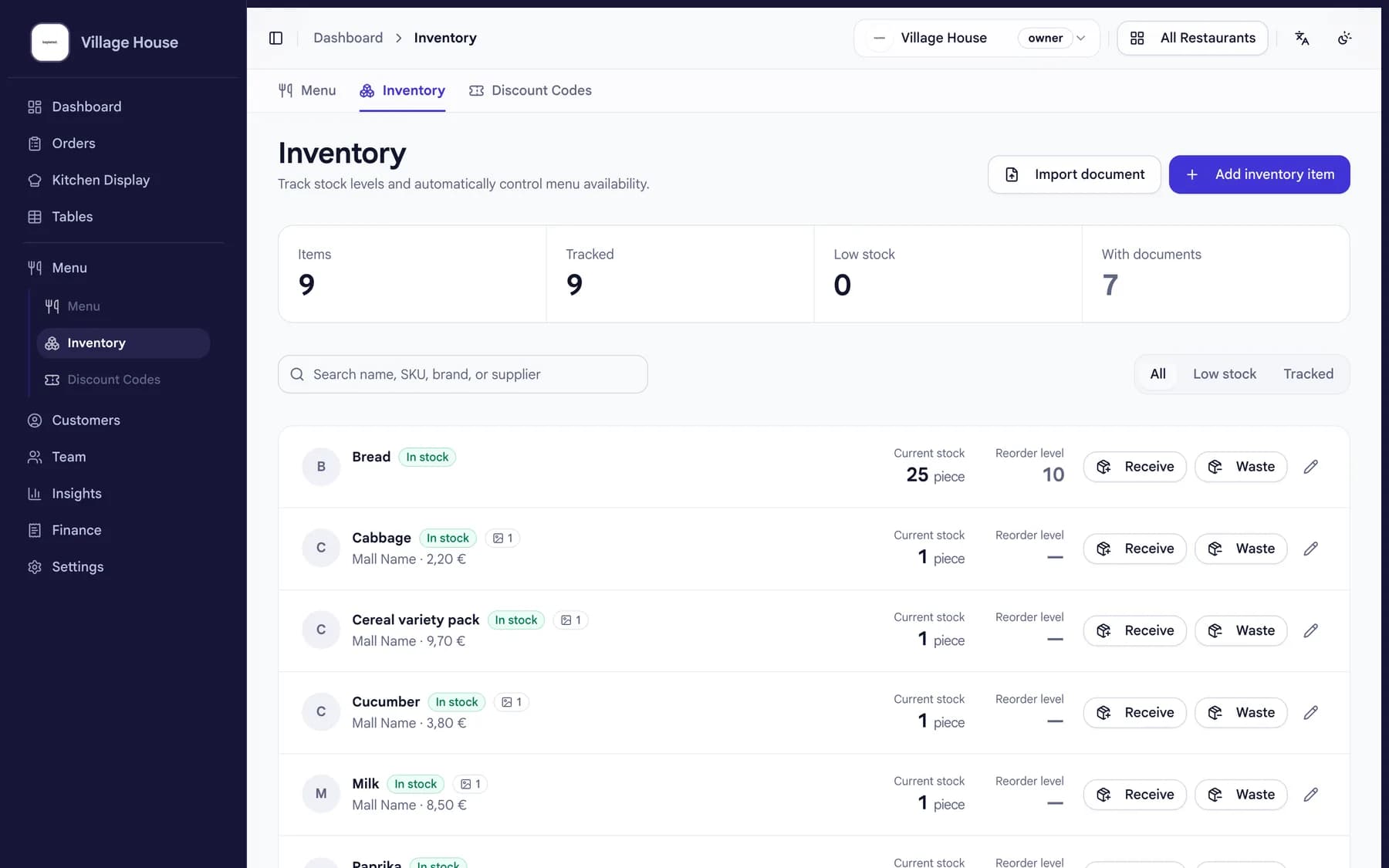
How it works
From delivery to updated stock.
01
Photograph the delivery note
The delivery arrives, you take one photo. That is the whole data entry.
02
The AI does the typing
beplated turns the note into items and quantities. You review and confirm.
03
Your stock is current
Inventory sits next to your orders and daily numbers, always up to date.
What changes for you
No more counting from memory.
- One photo instead of typing
- Delivery notes become stock entries without manual typing.
- You stay in control
- Every AI entry waits for your review before it counts.
- Everything in one system
- Inventory, orders and reports share one login and one bill.
- Included in your plan
- Inventory is part of the beplated plan, not an add-on.
Common questions
Good to know.
- What can the AI read?
- Menus, delivery notes and receipts. It turns them into menu items, stock and clean books.
- What if the AI misreads something?
- You review every entry before it is saved, so mistakes never make it into your stock.
- Does it cost extra?
- No. Inventory is included in the beplated plan.
- How long does setup take?
- An afternoon for the whole system. Menu in, QR codes on the tables, inventory included.
More from beplated
One system runs the rest of your day, too.
QR self-ordering
Guests scan, order and pay from the table. No app to download.
Learn moreReservations
Guests book online. You see tables and confirmations right next to your orders.
Learn moreStaff planning
Your team clocks in and out in beplated. Payroll prep takes minutes, not evenings.
Learn moreBookkeeping
Every euro recorded TSE-compliant, DATEV-ready for your accountant.
Learn more
Ready when you are